 Free With Your Apollo Key
 Up to 3 Leads per Company
 Fallback Titles When No Match


![[Source] Employee & Talent Finder](/enrichment-pages/company-name-to-domain/imgTemplateIcon.png)


 Easy to Use
 Fully No-Code
 38,000+ Users
Step-by-Step Guide
Part 1: Get your Apollo API key
Follow Apollo's own instructions: Create an API key.
Step 1: Open the API Keys Page in Apollo
Sign in to Apollo, then click Settings, Integrations, and API Keys, or go straight to the Apollo developer keys page.
Apollo API access depends on your Apollo plan. Check your plan before you start.
Step 2: Create and Copy Your Key
Click Create new key. Enter a name and a description, then select each API endpoint that the key may use. You can also switch on Set as master key to allow every endpoint.
Click Create API key, then click Copy and paste the key somewhere safe. A key that is not allowed to call an endpoint returns a 403 error.
Part 2: Run the enrichment in Datablist
Step 3: Sign Up & Upload Your Data
First, sign up for Datablist.com
Then, upload your CSV or Excel file with the rows you want to enrich. Create a new collection and import your file with the CSV editor.
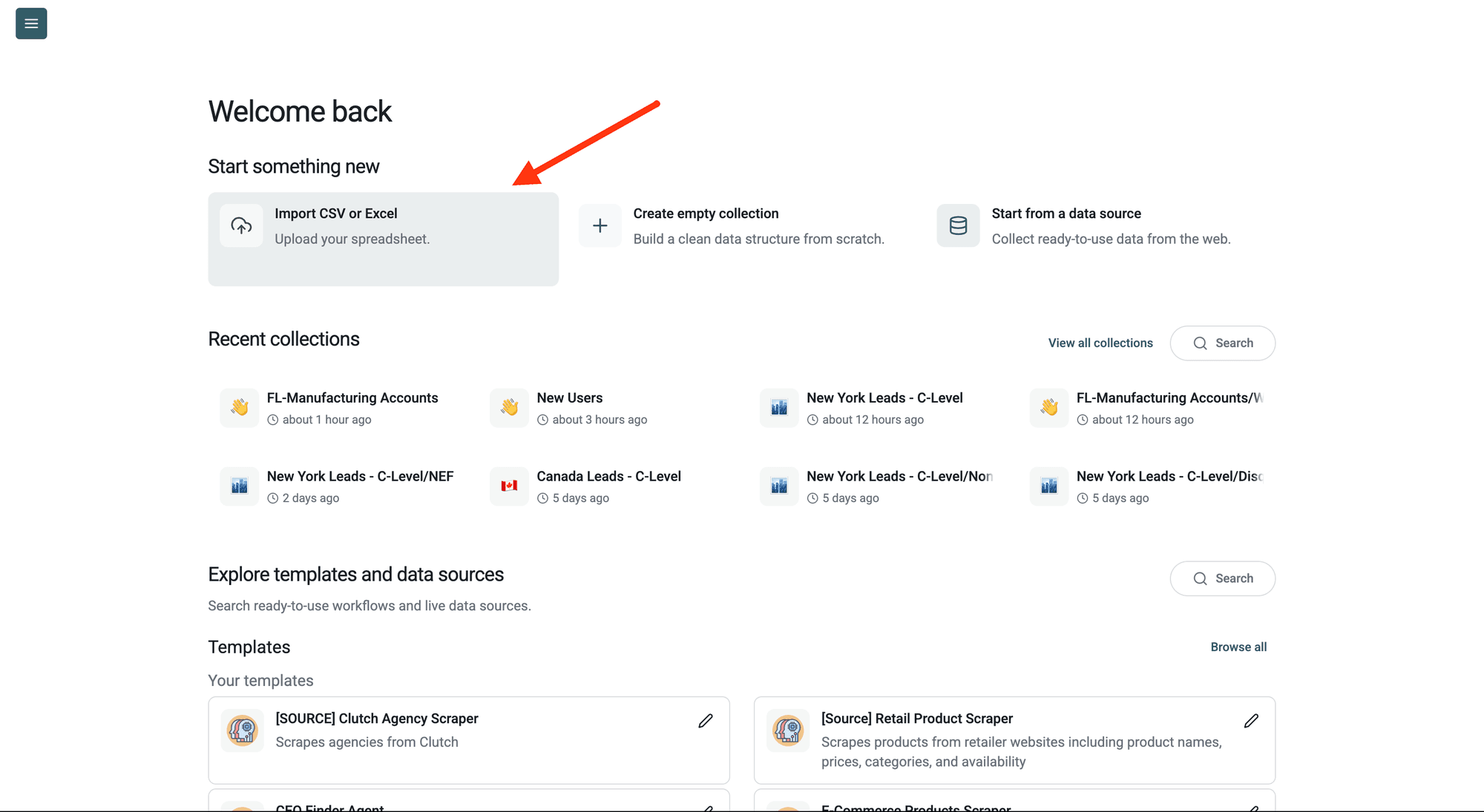
Step 4: Navigate to the Enrichment
Click Enrich in the top menu and search for Apollo.
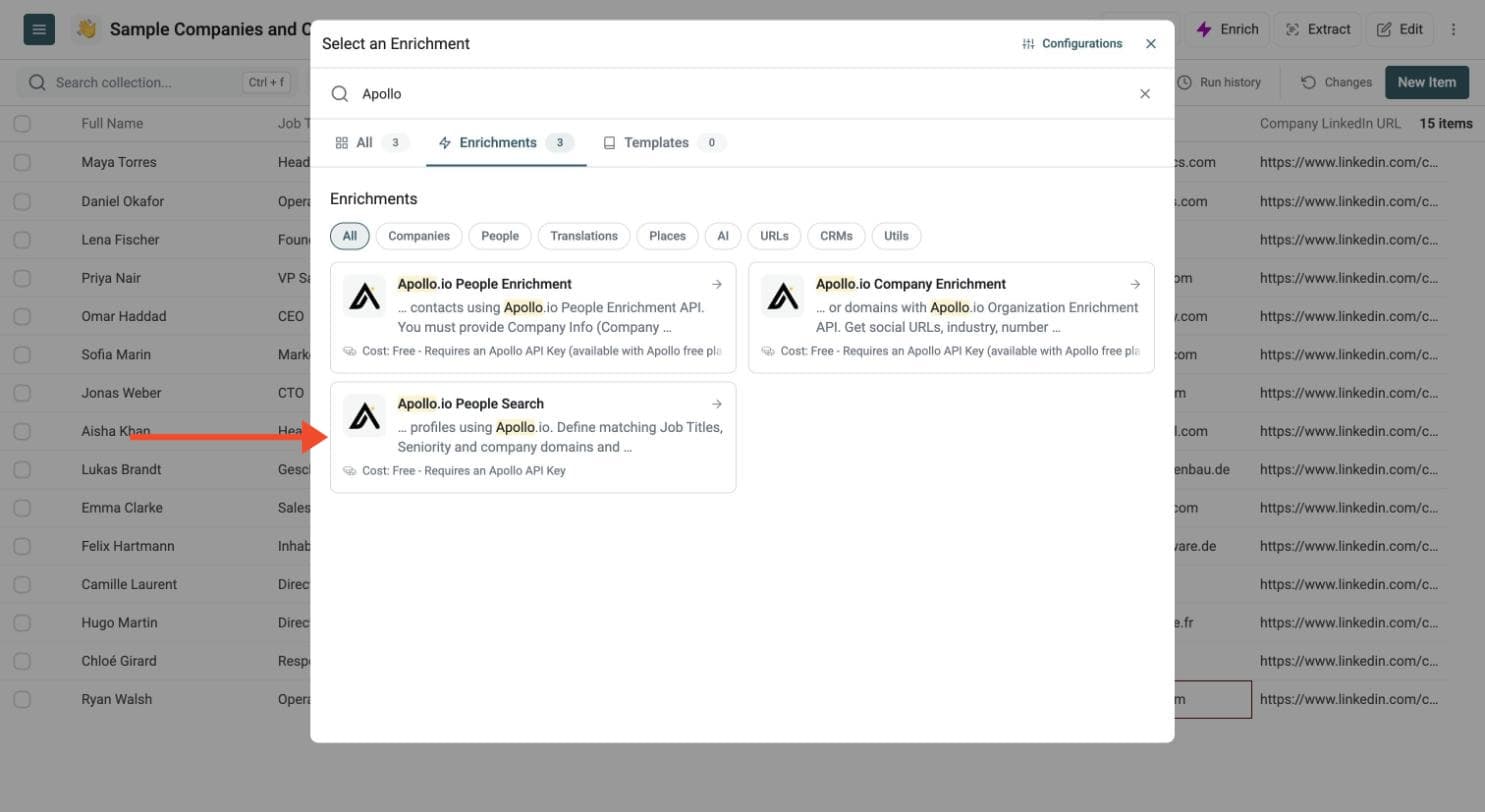
Step 5: Set Up the Enrichment
In the drawer that opens, paste your Apollo API key in the Apollo API Key field.
Datablist sends the key with your run to call Apollo. Do not share it with others.
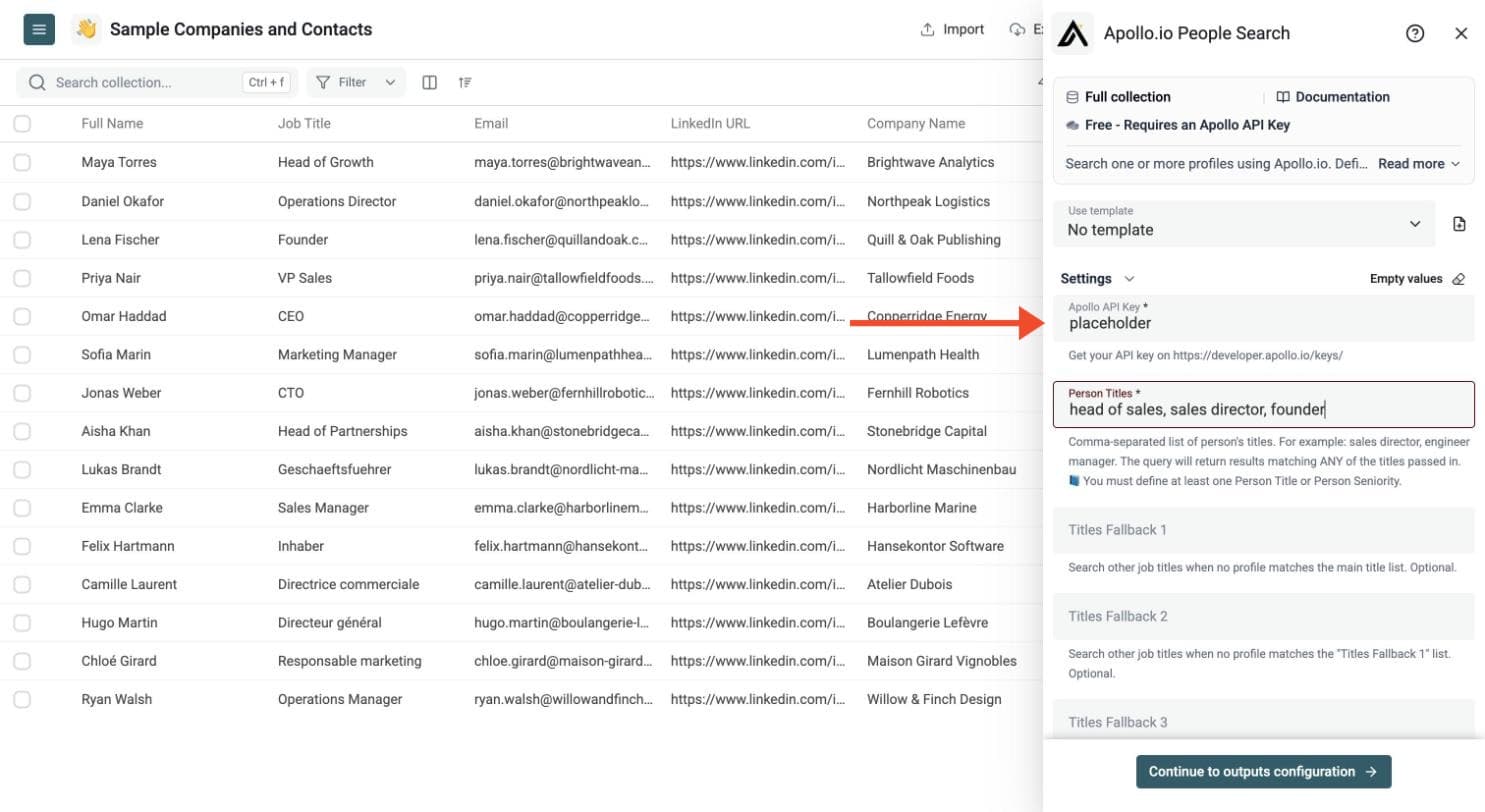
Then set your search. Add the job titles you want, as a comma-separated list. You can search by job title, by seniority, or both. You must define at least one title or one seniority.
-
Person Titles: for example head of sales, sales director, founder
-
Titles Fallback 1, 2 and 3: extra title lists that Datablist tries when no profile matches the previous list
-
Person Seniority: one or more levels, such as owner, founder, c_suite, partner, vp, head, director, manager, senior, entry or intern
-
Number of persons returned per search: 1 to 3 profiles for each company
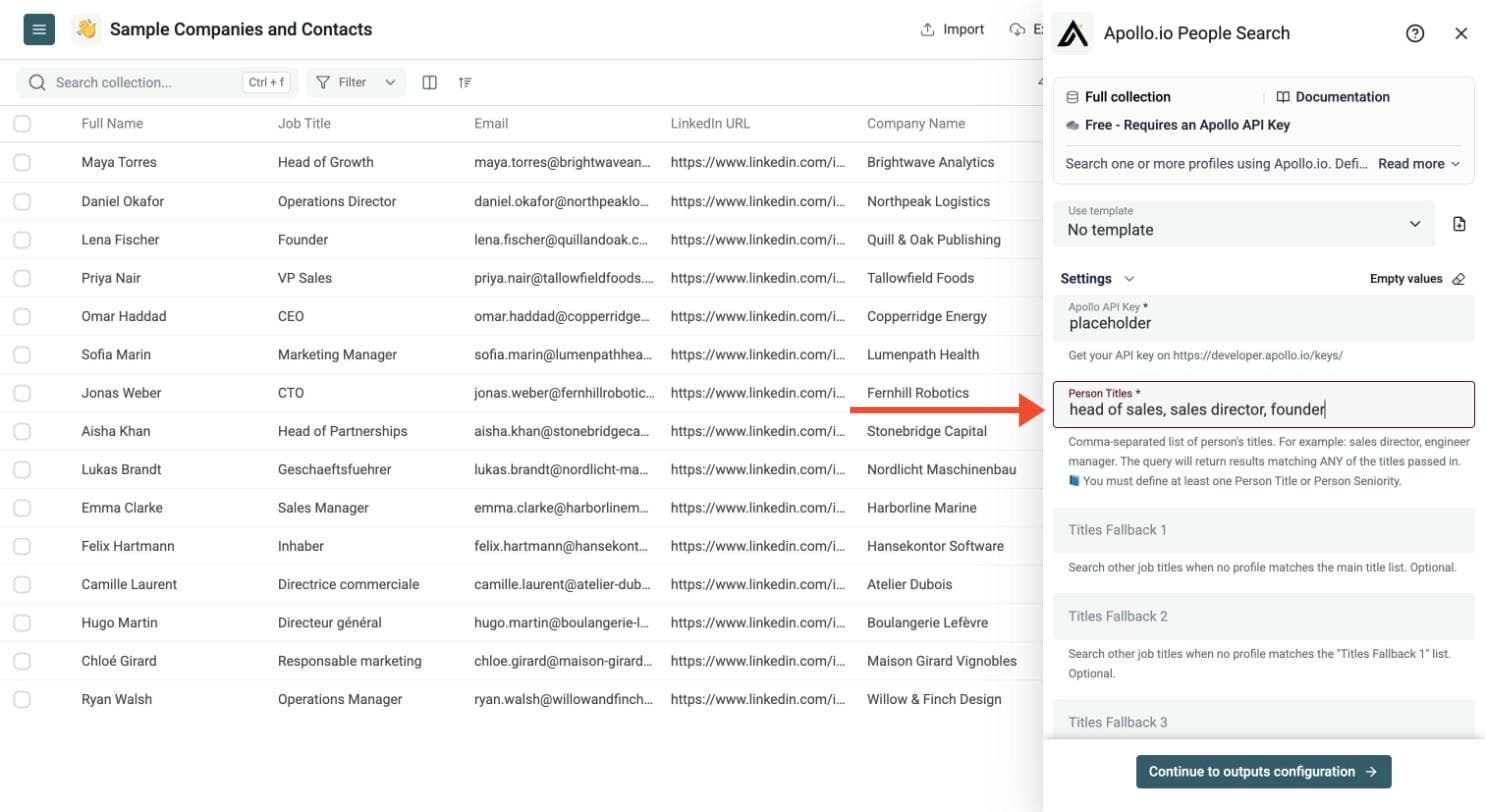
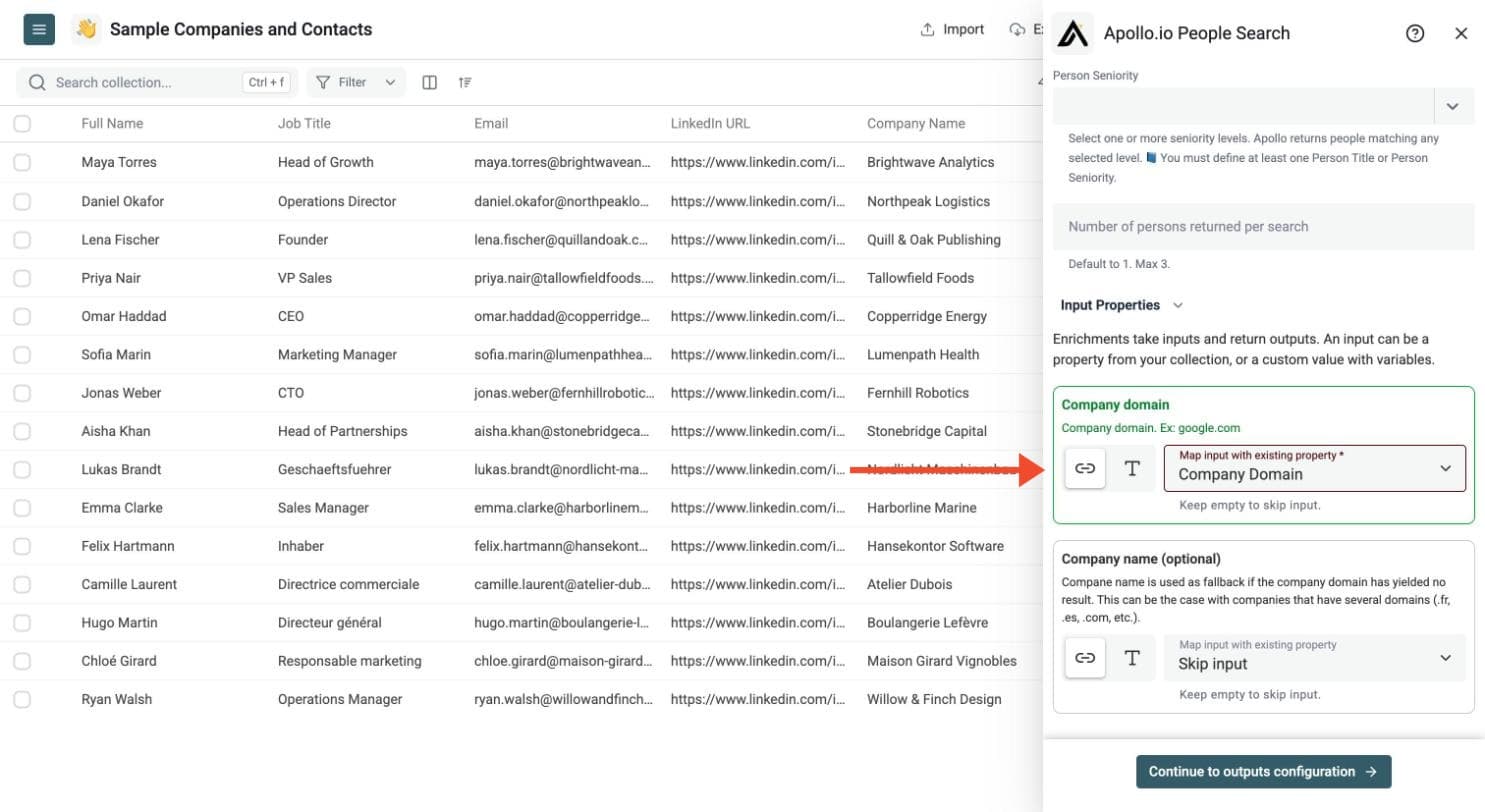
Step 6: Configure Your Inputs
-
Company domain: required, for example google.com
-
Company name: optional fallback when the domain returns no result, useful for companies with several domains
Then click Continue to outputs configuration.
Step 7: Select Outputs
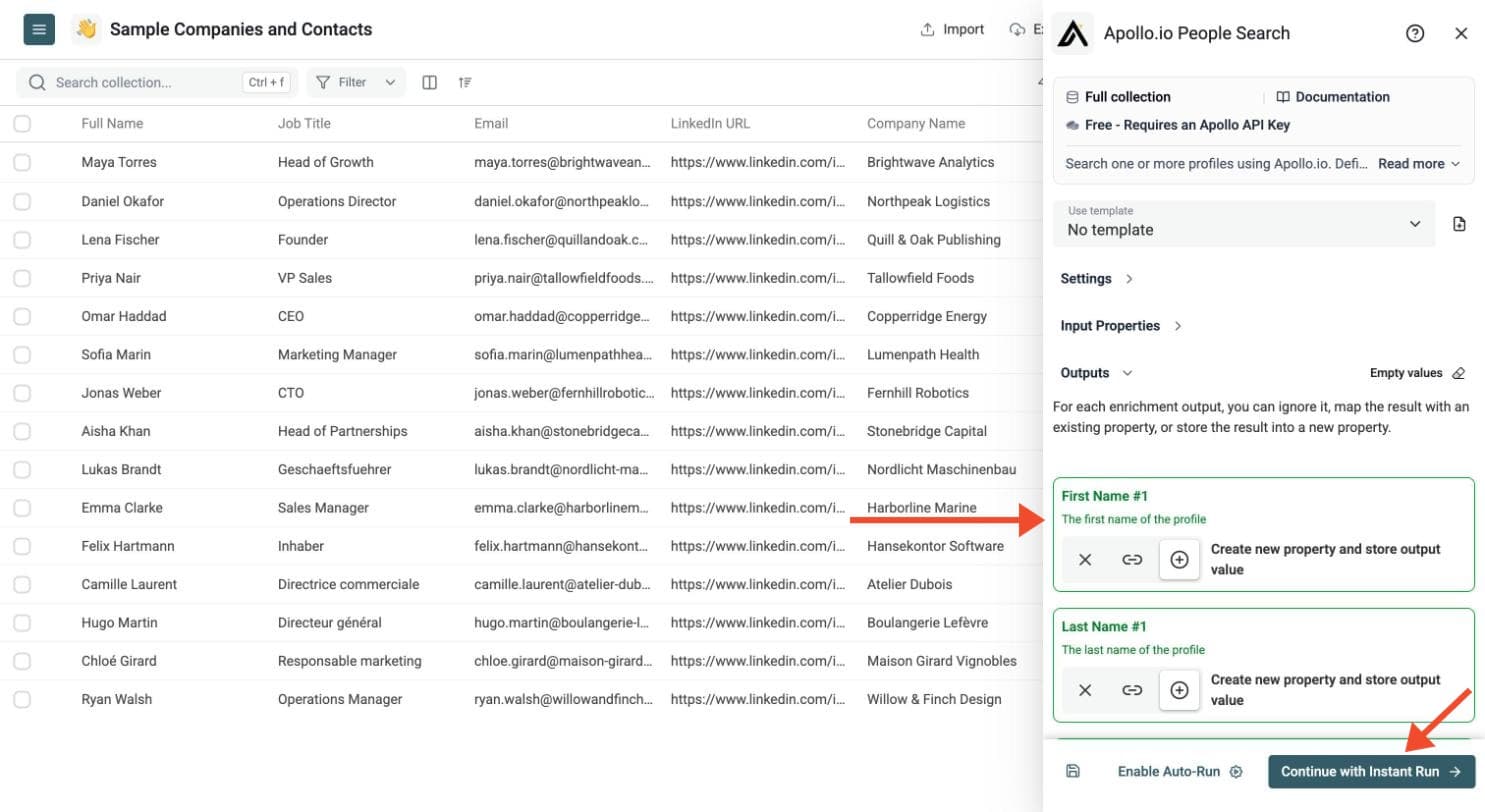
Apollo People Search can return, for each matching profile:
-
Name, job title, seniority, location and LinkedIn profile URL
-
Work email and Apollo email-verification details
-
Company details such as domain, website, industry and estimated employees
-
Total Query Results: how many profiles matched the query
If you return more than one person per company, the outputs are numbered, such as First Name #1, First Name #2 and First Name #3. Click the ⊕ icons to add the outputs you need to your collection.
Step 8: Run the Enrichment
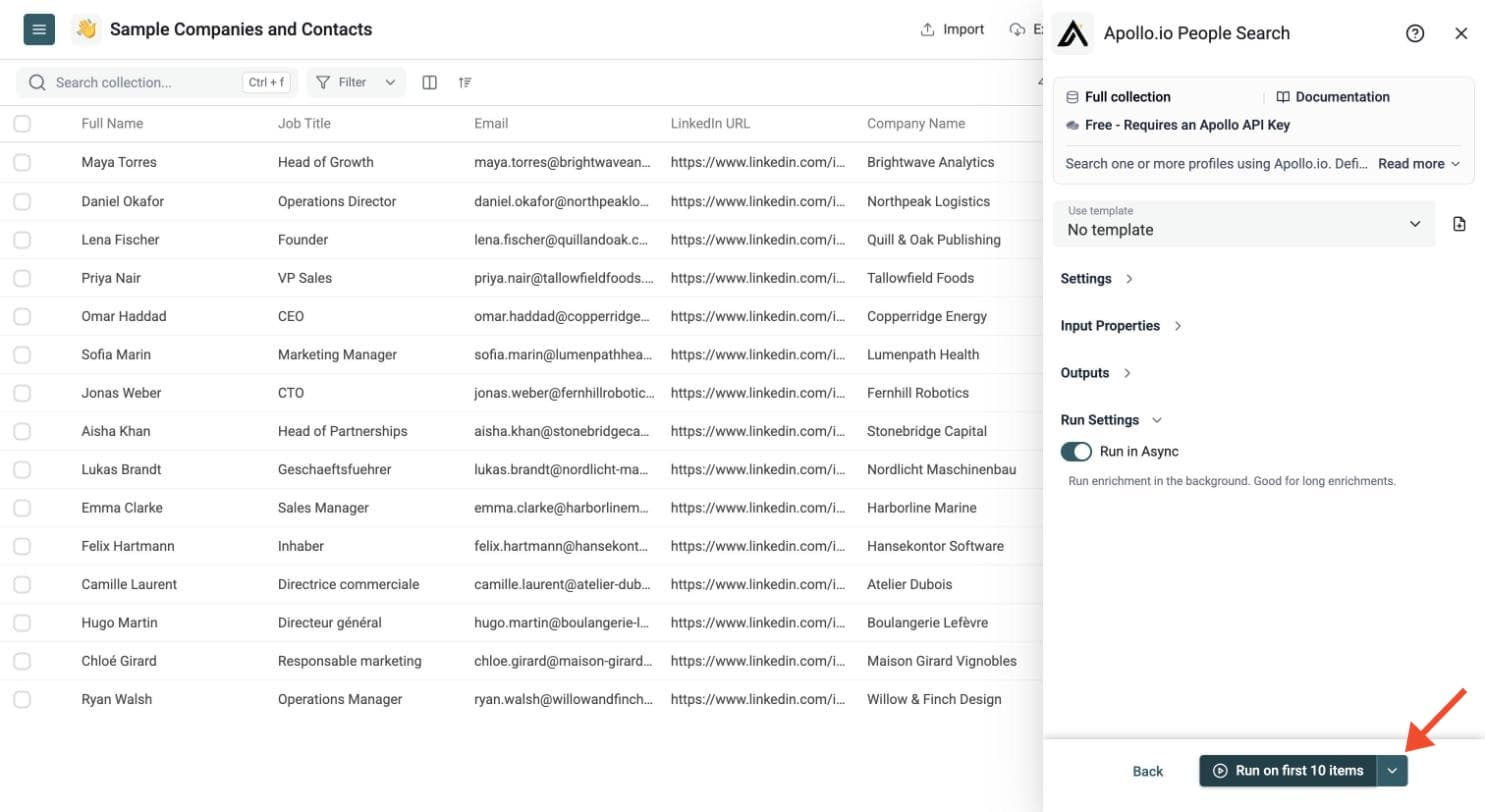
Click the chevron on the right side of the run button to choose how many items to process:
-
Run on first 10 items: Good for checking results before committing
-
Run on first 100 items: Useful for validating larger samples
-
Run on all view items: Process your entire list (or view if you've enabled filters)
Check a small sample first. Review empty fields and the run-status column, fix the input or settings, and rerun failed rows. You can filter and export the resulting collection.
What You Get
For each matching profile, Datablist can return:
- First name
- Last name
- Full name
- LinkedIn profile URL
- LinkedIn summary
- Job title
- Job start date
- Seniority
- City, state or region, country, postal code, and time zone
- Company LinkedIn page
- Work email address and Apollo email-verification details
- Profile photo and social profile URLs
- Departments, subdepartments, functions, and employment history
- Apollo person and organization IDs
- Company domain, website, industry, keywords, and estimated employee count
- Company revenue, headcount growth, location, social URLs, languages, and industry codes
The enrichment also returns:
- Total Query Results - The number of Apollo profiles matching the query.
If you return more than one person per company, Datablist creates numbered output columns such as First Name #1, First Name #2, and First Name #3.
Common Use Cases
Find Decision Makers for Account Lists
Start from a list of company domains and search for founders, heads of sales, marketing directors, or operations managers.
Build Recruiting Lists
Search for engineers, product managers, designers, or executives at target companies.
Expand CRM Accounts
Add new contacts to accounts that only have company data.
Create Fallback Title Searches
Search for a specific role first, then use fallback title lists when no result is found. For example:
- Main titles:
head of sales, sales director - Fallback 1:
vp sales, chief revenue officer - Fallback 2:
business development manager
Return Several Contacts per Company
Set the result limit to 2 or 3 when you want more than one contact for each account.
Agency Prospecting
Start with company-domain lists filtered by industry, region, or company size, then search for the roles you need. Clean company domains reduce ambiguity and help Apollo match the right company before searching for people.
Cost and API Usage
Datablist lists this enrichment as Free - Requires an Apollo API Key.
Datablist does not charge credits for the search itself. Apollo's People Search endpoint costs 0 Apollo credits, but this workflow then uses Bulk People Enrichment to turn obfuscated search hits into complete profiles. Apollo typically charges 1 credit for each profile that returns demographic or email data.
When a domain returns no result, the optional company-name fallback also uses Apollo Organization Search, which costs 1 Apollo credit per search page.
Examples:
- 100 company domains with 1 returned profile each can consume about 100 Apollo credits when every search returns a complete profile.
- 1,000 company domains use both Apollo People Search and Apollo Bulk People Enrichment requests.
- Returning 3 profiles per company creates more output data, but the Datablist enrichment itself remains free.
Check your Apollo API limits before running a large file.
Tips for Better Search Results
- Use company domains when possible. They are more precise than company names.
- Add company names as fallback for local domains or multi-brand companies.
- Start with a narrow title list, then add fallback titles.
- Use Apollo seniority values when titles vary across countries.
- Preview a few rows to check Apollo's email coverage and profile quality.
- Use the run-status column to filter no-result and rate-limit rows.