
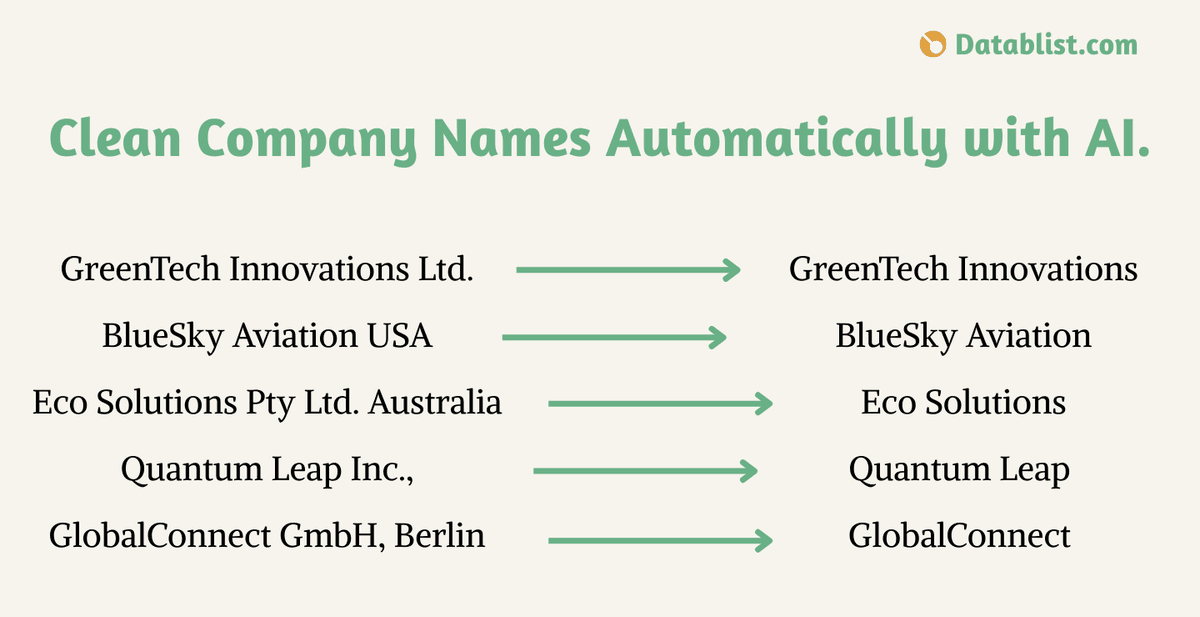
To clean company names in a lead list, define the output first: remove a legal suffix when it is clearly separate from the brand, normalize spacing and capitalization, and keep words that belong to the brand. For example, Acme, Inc. can become Acme; The Limited should not automatically become The.
Datablist offers two ways to apply those rules to a CSV column. The Company Name Cleaner processes each row with AI, while AI Editing generates a JavaScript transformation that you can preview before applying it to the collection. Keep the original name in its own property so you can compare and correct the result before outreach or deduplication.
This guide covers:
- How to clean company names using Generative AI (ChatGPT)
- How to clean company names using AI-Generated JavaScript code
- The differences between the two methods and when to use each
Rules for company name cleanup
Decide whether you need a conversational name for outreach or a standardized name for matching records. Those outputs can differ. Start with these rules and review the exceptions:
- Remove legal forms such as
Inc.,LLC, orGmbHonly when they appear as separate suffixes. - Normalize repeated spaces and stray punctuation without changing the recognizable brand.
- Keep words such as
Group,Holdings, orLimitedwhen they are part of the brand or when you cannot tell from the name alone. - Leave uncertain names for manual review instead of guessing a company identity.
| Input | Suggested output | Review point |
|---|---|---|
| Acme, Inc. | Acme | Inc. is a separate legal suffix. |
| Acme GmbH | Acme | Confirm the German legal form is separate from the brand. |
| The Limited | The Limited | Do not remove a word that may be the brand itself. |
Method 1: Cleaning the company names using Generative AI.
The first method uses AI on each company name. Choose it when names vary in format and you want to review context-dependent results rather than maintain a fixed suffix list.
Datablist provides a dedicated Company Name Cleaner enrichment. Review its configuration and credit use before running it across a large list.
Let’s go step by step on how to use this method.
First, import your company names in a CSV or Excel file.
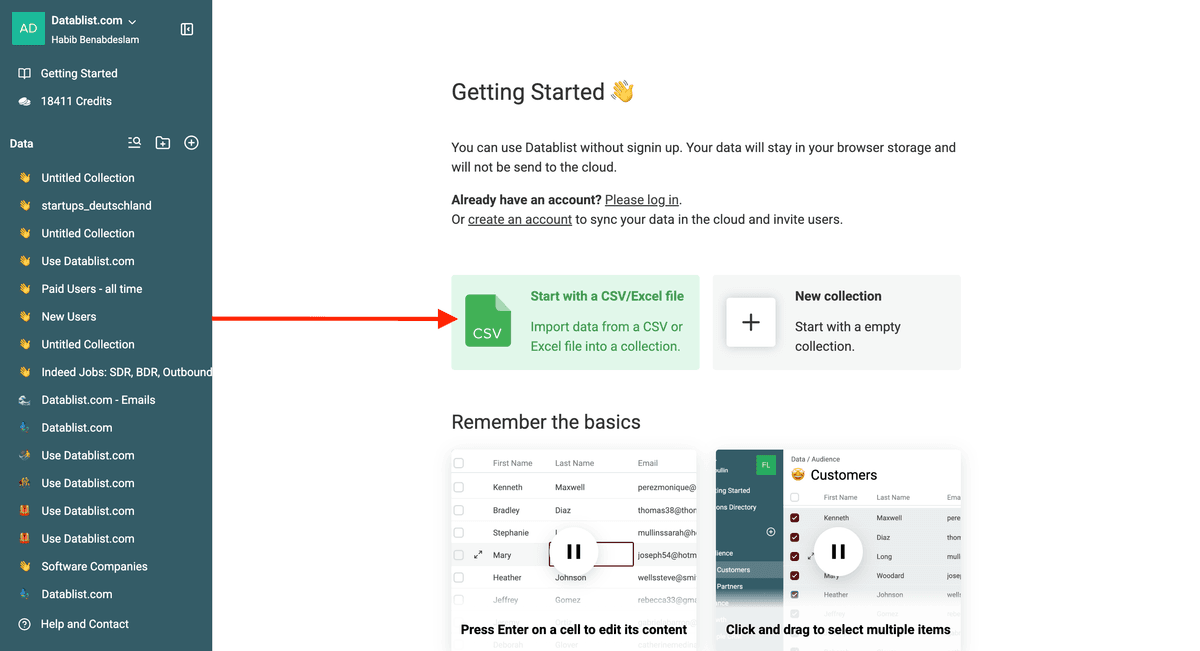
My file contains company names only for demonstration purposes, but you can upload a regular file with multiple properties/columns, and it will work in the same way.
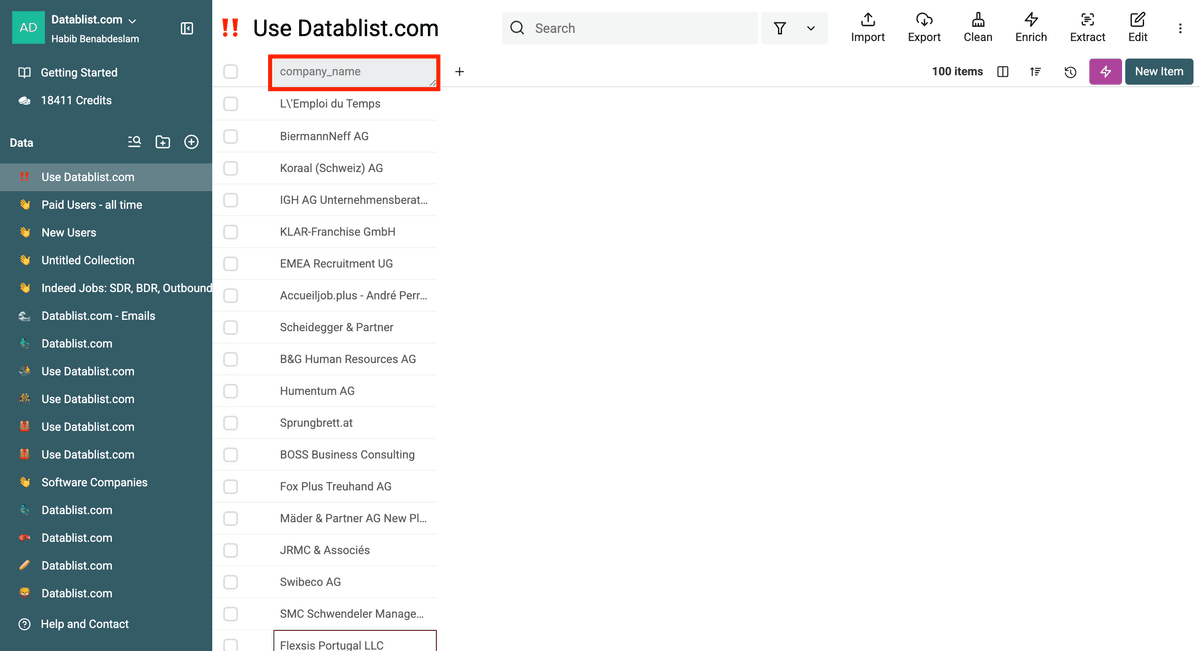
Then select the “Enrich” option.
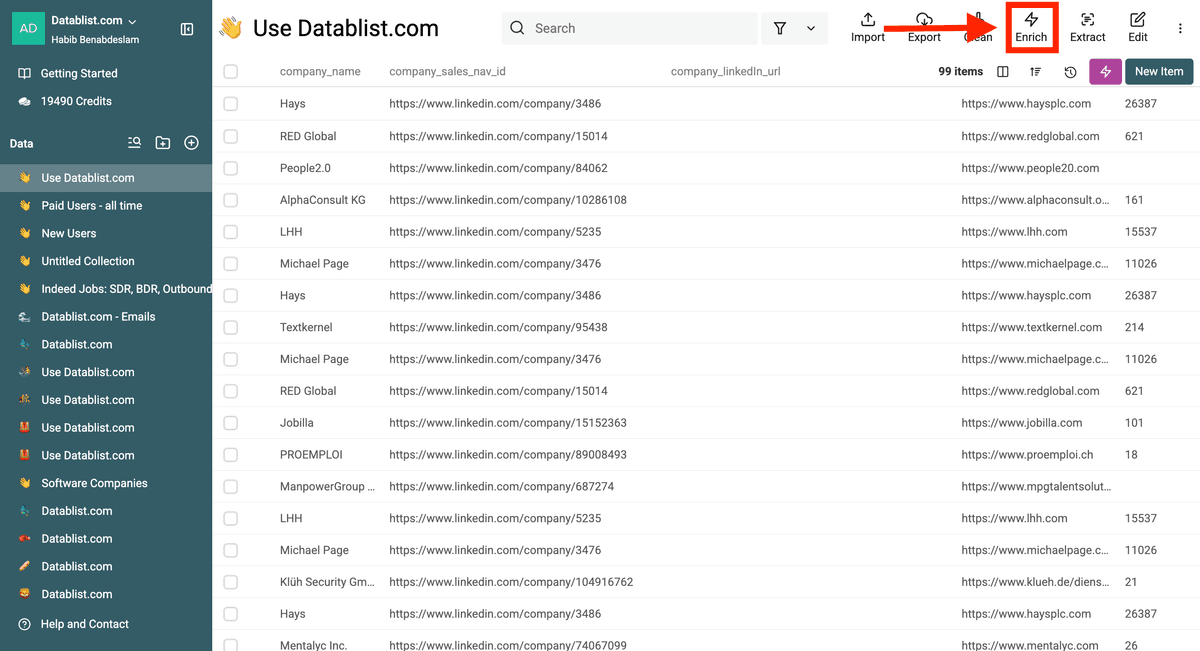
Then select the Enrichment Templates.
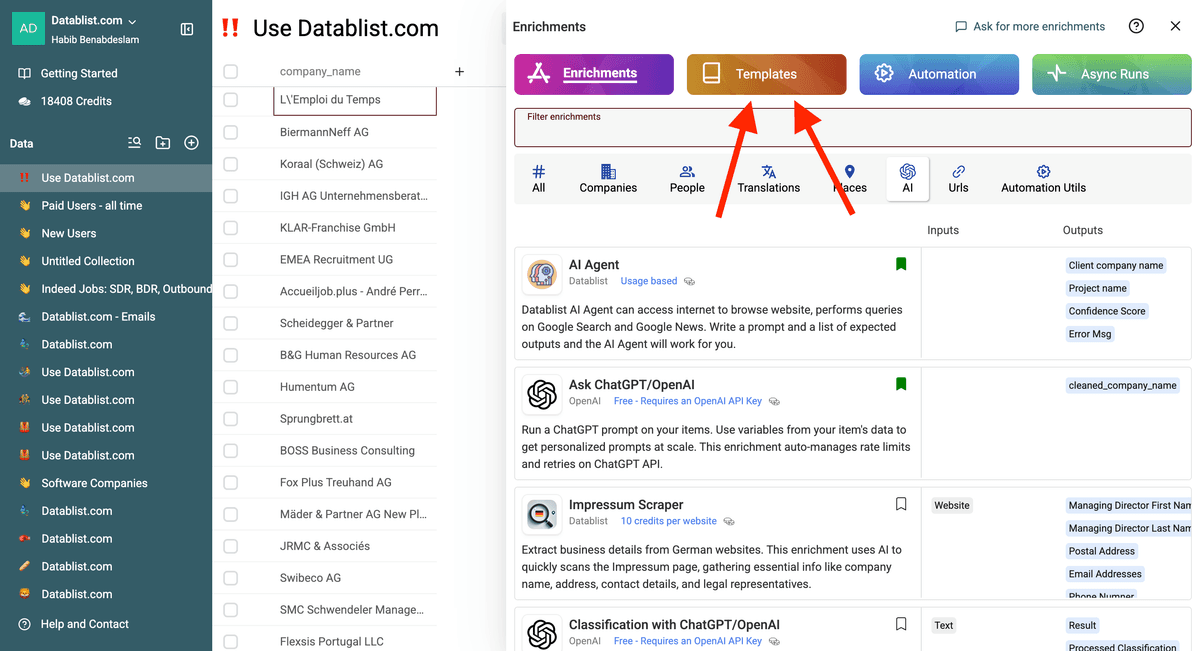
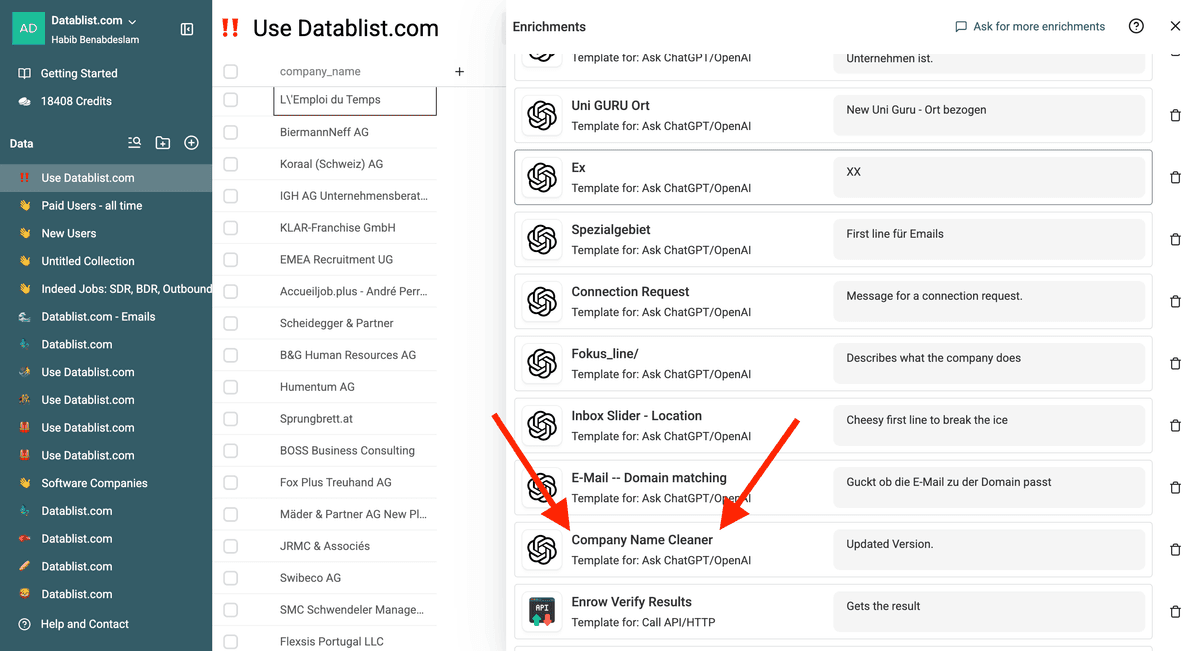
Choose the Company Name Cleaner.
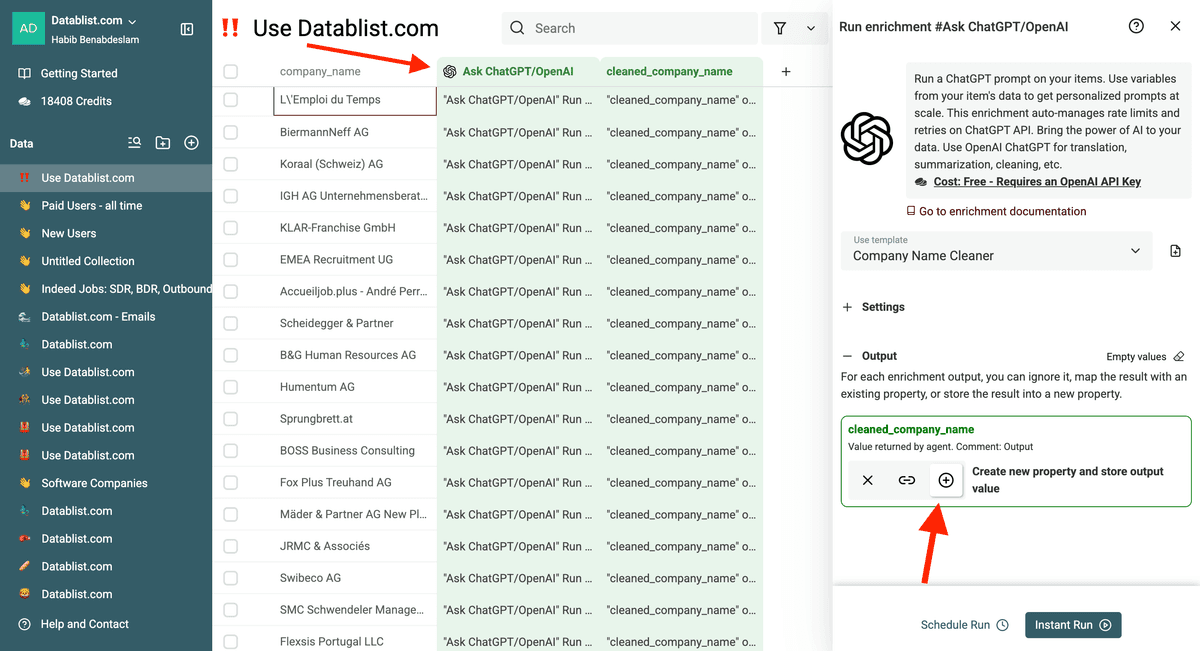
Then, edit the prompt and select the column that contains the company names using {{Name}} or /Name.
Go to the next step to configure your outputs.
You can either create a new property for your outputs or map it to an existing property in your collection.
In my case, I created a new one.
Datablist also automatically creates a "Run Status" property. This helps tracking which names have been processed, and the cost for each processing.
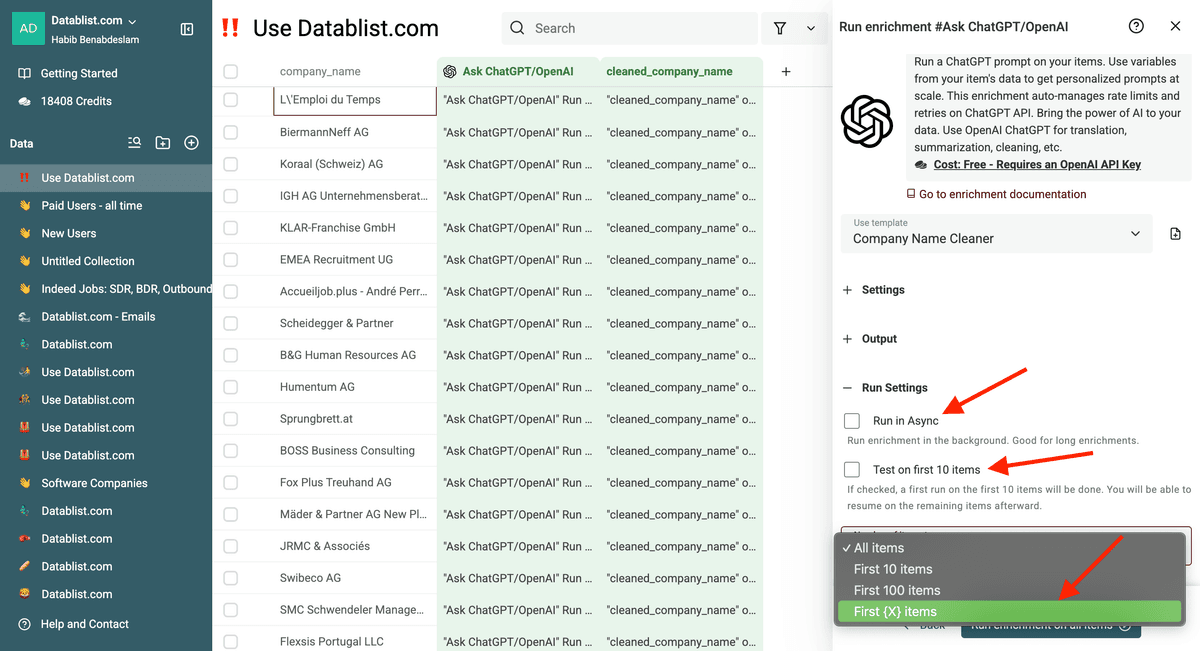
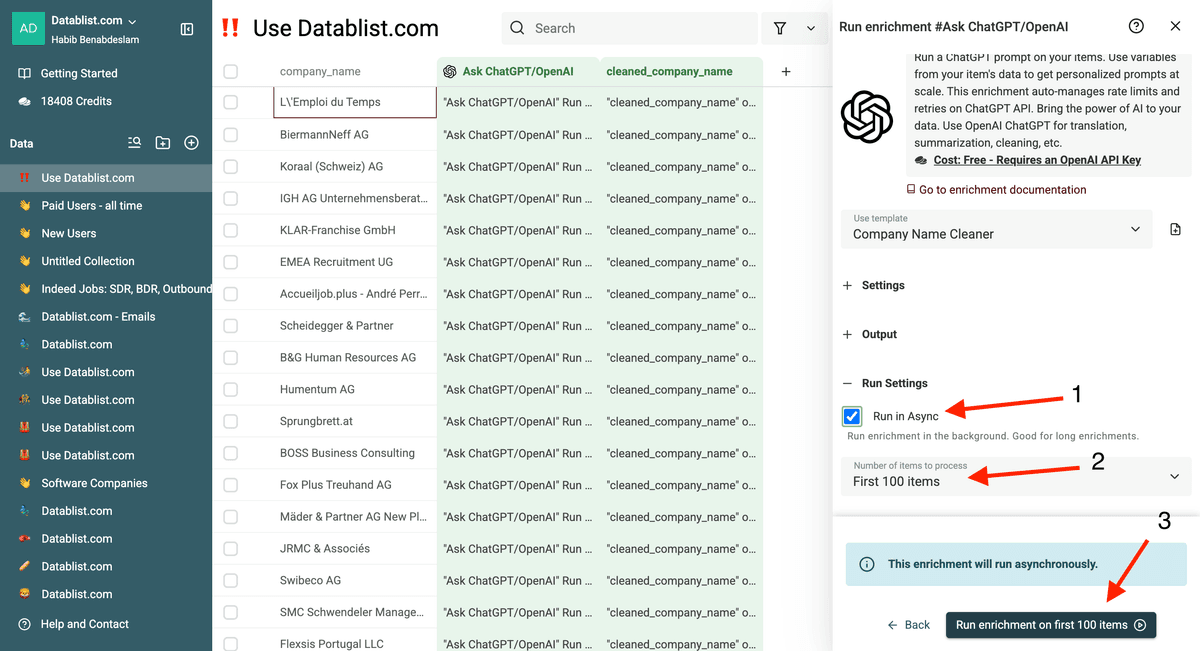
Now you can configure your run settings by choosing between these options:
- Run it in Async (in the cloud)
- Test on the first 10 items
- Run only on the first 10 items, first 100 items, or configure how many items you want to clean.
I've configured my run settings, and now I can run my enrichment.
This is the last step before we move to the second part of the enrichment.
I chose to run the enrichment in Async on the first 100 items.
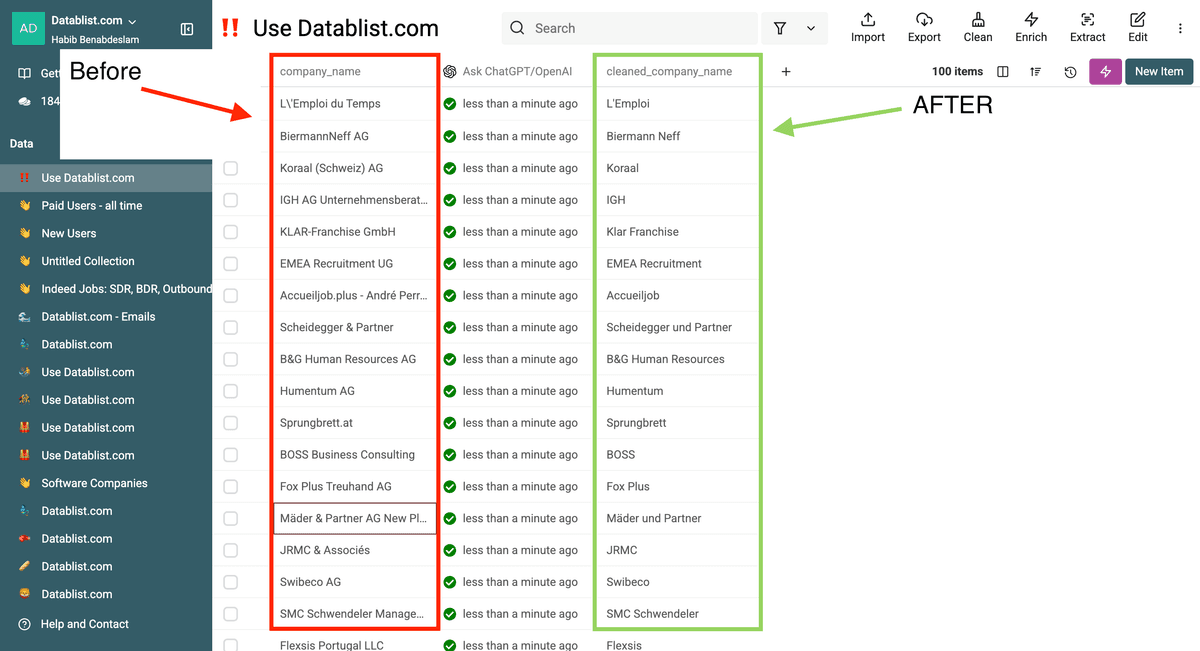
The result appears in the output property after the enrichment finishes. Compare a sample with the original names, including short names, international legal forms, and names containing words such as Group or Limited.
Here is a video of the Company Name cleaning process
Method 2: Clean Company Names with an AI-Generated JavaScript code.
For a list with predictable formatting, AI Editing generates a JavaScript transformation from your instructions and up to 10 sample items. It does not read every company name in the collection before writing the script. Put the legal forms and exceptions you need in the prompt, then preview the generated code on representative names before running it on the full list.
This avoids calling an AI model for every row, but a generated rule can still remove the wrong word. Keep the source column and test difficult names first.
Here’s how to do it step by step.
First, import your company names in Datablist. Use a CSV or Excel file.
My file contains company names only for this demonstration, but you can upload a file with multiple properties/columns. Your file can contain hundreds of thousands of lines. Datablist is good for opening large CSV files.
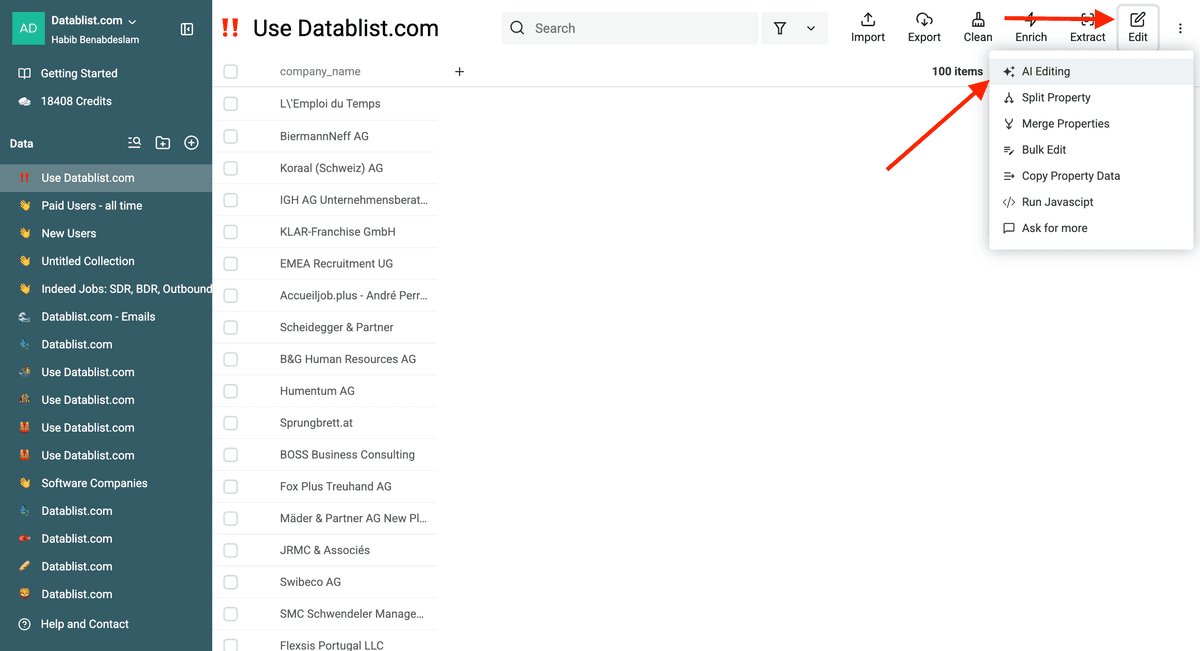
Select Edit, then choose AI Editing.
Use a rule-writing prompt with the property containing the company names as a reference. Extend the suffix list for the countries in your file rather than relying on the first sample items to contain every form:
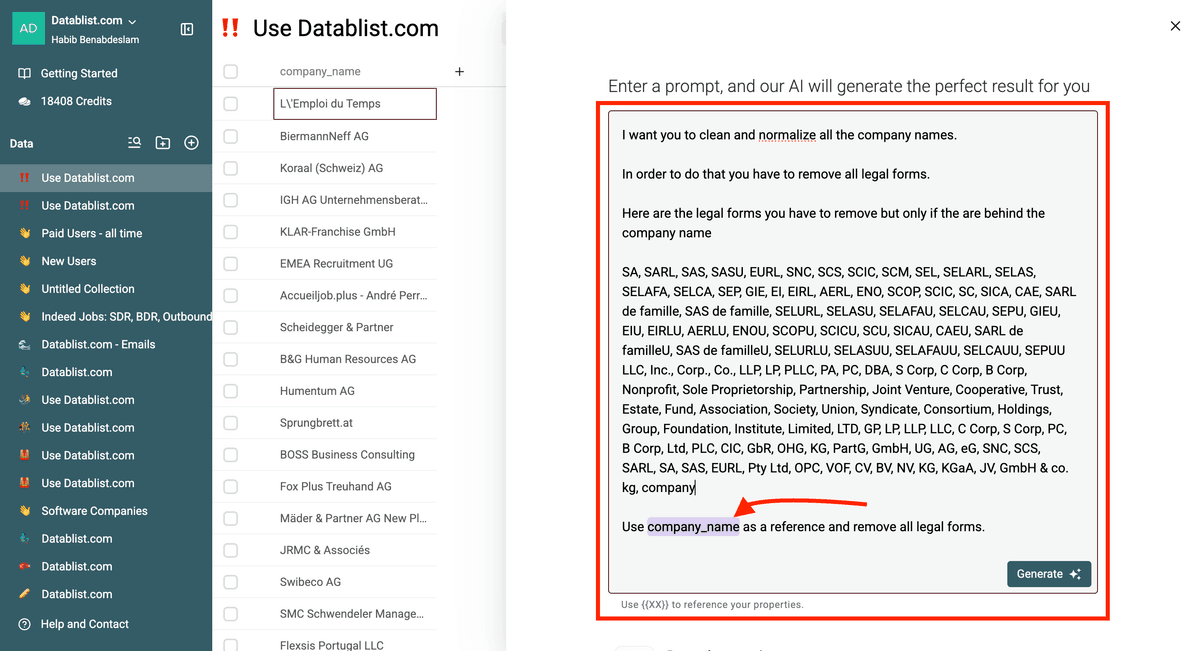
Generate JavaScript that reads {{company_name}} and writes a cleaned name to a separate property. Use an explicit, case-insensitive list of legal endings: Inc., Incorporated, LLC, L.L.C., Ltd., Limited, Corp., Corporation, LLP, PLC, GmbH, GmbH & Co. KG, AG, B.V., N.V., S.A., S.A.R.L., SAS, S.r.l., Pty Ltd, Pte Ltd, and Co., Ltd. Match only a complete ending separated from the brand by a space or punctuation; handle multi-word endings before shorter ones and allow common period and spacing variations. Remove only the ending, then trim leftover commas, periods, and spaces. Do not remove these words from the middle of a name or reduce a name to a generic word such as "The". Preserve Group and Holdings when they are part of the brand. If the ending is ambiguous, leave the name unchanged. Examples: "Acme, Inc." -> "Acme"; "Acme GmbH & Co. KG" -> "Acme"; "The Limited" -> "The Limited"; "Limited Partners Group" -> "Limited Partners Group". Apply the same rules to every row, not just the sample items.
Notes: If you want to use the same prompt don’t forget to use a property as a reference using curved parentheses ({{Property}}).
AI Editing uses the sample to generate and preview a script; it does not clean each row with an LLM. Select or filter representative rows before generation so the preview includes names with multi-word legal forms, brands containing Limited or Group, and names without a legal suffix. Inspect both the generated JavaScript and the preview. If the script misses an ending or removes a brand word, add the exact rule or exception to the prompt and regenerate it before the full run.
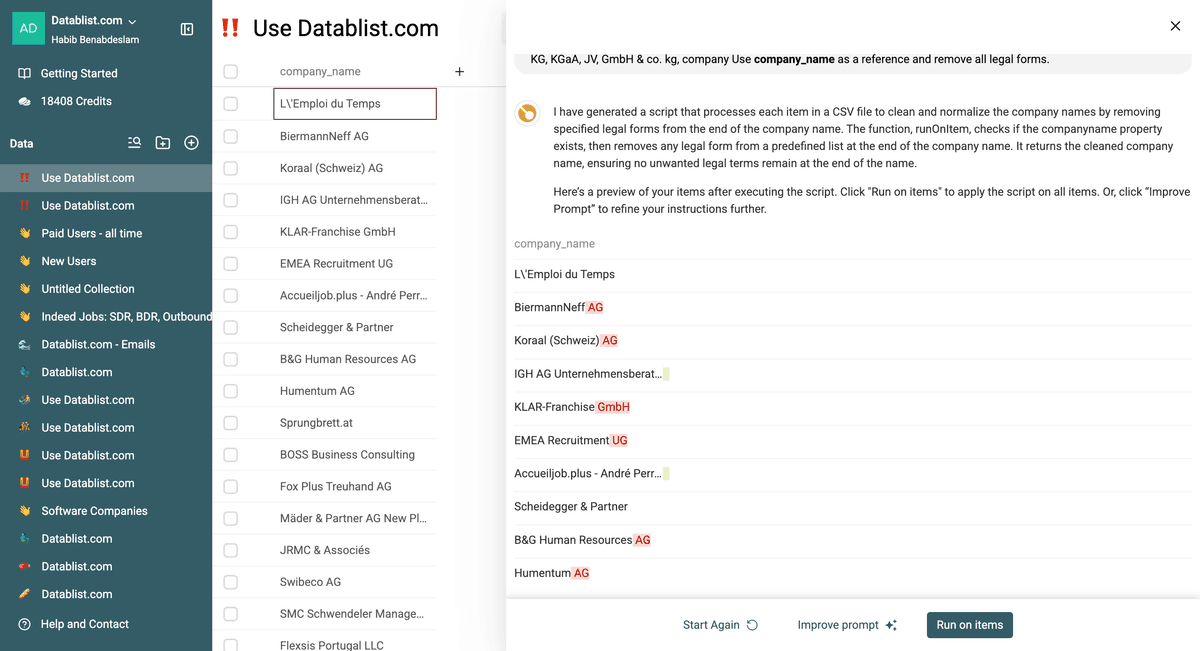
Once the preview is correct, click Run on items and compare a wider sample of outputs against the original property.
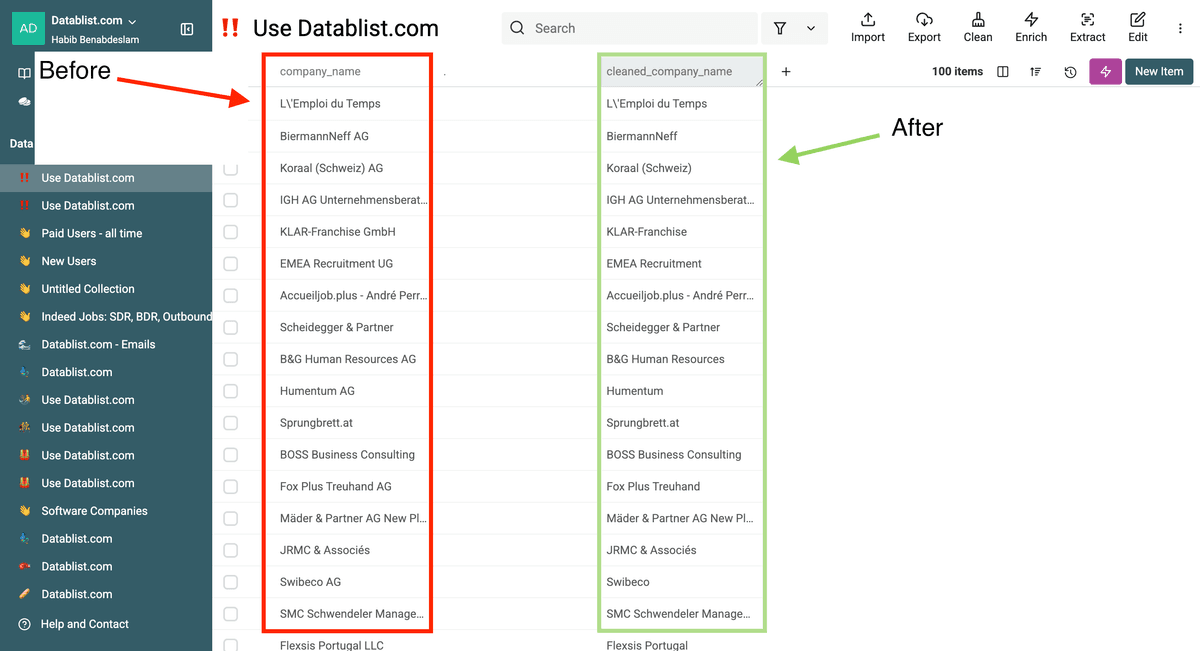
What is the difference between both methods?
Generative AI Cleaning (Method 1) uses AI directly to clean company names, while Method 2 (AI-Generated JavaScript) uses AI to create a JavaScript script that performs the cleaning.
Method 1 uses AI on each processed row and consumes credits. It may handle varied formats, but its results still need review.
Method 2 generates a script from your explicit rules and a small sample, then applies that script across rows. It works best when you can list the relevant legal forms and inspect edge cases before the full run.
Both methods automate company name cleaning, but the choice depends on your list size, budget, and accuracy needs.
When should you use Method 1 versus Method 2?
Generative AI Cleaning (Method 1)
- Mixed formats and languages
- Names that need context-dependent decisions
- When you can review a sample of AI results
AI-Generated JavaScript (Method 2)
- Lists that follow consistent rules
- When you can preview and refine the generated script
- When you want to avoid an AI call for each row
Frequently Asked Questions (FAQ) About Cleaning Company Names
How do I clean company names automatically for my B2B lead generation?
Import the CSV, preserve the original name column, and write the cleaned name to a new property. Use Company Name Cleaner for varied names or AI Editing for a repeatable rule. Review sample outputs before export.
What's the best way to remove legal entities from company names at scale?
Specify which suffixes to remove and keep the original name. Preview short names, names from different countries, and names with brand words that resemble legal forms. Revise the rule if it changes a brand incorrectly.
Can AI clean company names from different countries and languages?
They can process names from different countries, but legal forms and brand conventions vary. Add examples from your list and review ambiguous outputs rather than assuming a single suffix rule fits every country.
How long does it take to clean 1000 company names using AI?
The duration depends on the method, collection size, and processing conditions. Test a small batch, check its output, and use that run to plan a larger job.